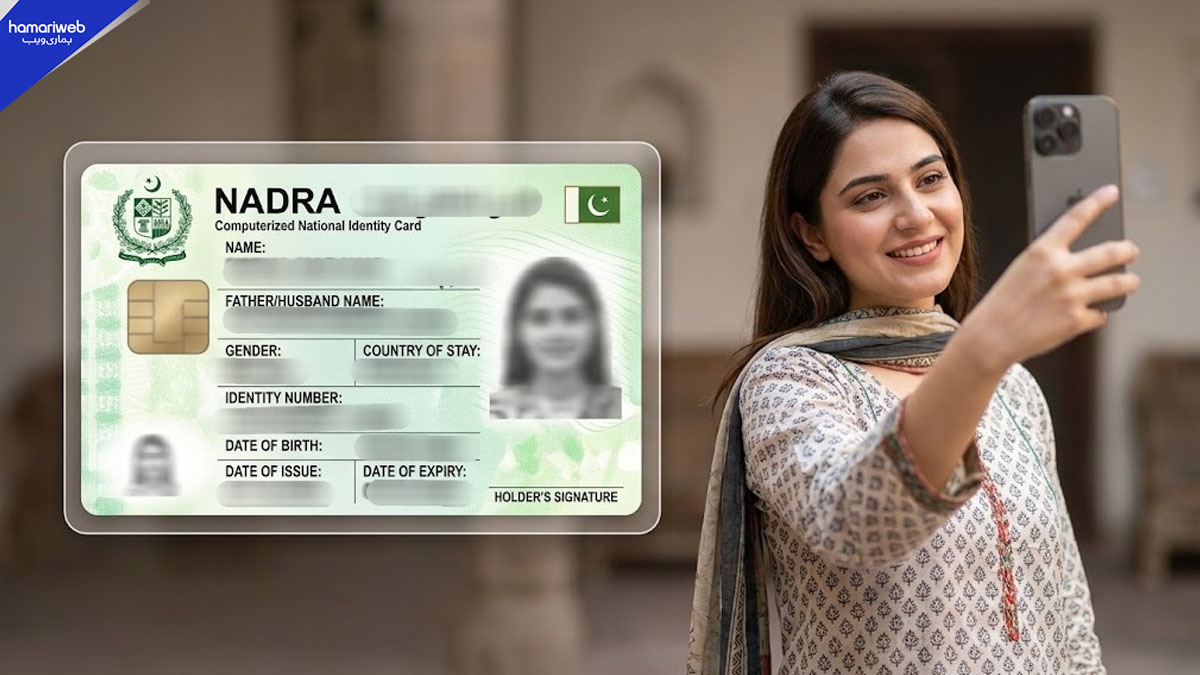
Introduction: A New Era for Digital Identity in Pakistan
Gone are the days of waiting in line at crowded registration centers. The National Database and Registration Authority (NADRA) has introduced a game-changing feature for Pakistanis: you can now update your CNIC (Computerized National Identity Card) photo and address directly from your mobile device. This digital upgrade, made possible by the PakID mobile app, signals a major leap forward in how citizens interact with essential government services.
How the PakID Mobile App is Transforming Identity Management
The PakID app isn’t just another government portal—it’s a comprehensive platform designed to put control over your identity in your hands. Through the app, users can:
- Update their CNIC photo with a selfie taken on their phone
- Change or correct their address and other details
- Upload supporting documents digitally
- Use QR-code technology for secure verification
This digital shift not only saves time but also makes the process more accessible for people living far from NADRA offices or those with mobility challenges.
Step-by-Step: How to Update Your CNIC Photo and Address Online
If you’re ready to modernize your CNIC, here’s a simple guide to get started:
- Download the PakID App: Available for both Android and iOS, search for “PakID” in your app store.
- Create or Log into Your Account: Use your existing credentials or register with your CNIC number.
- Choose the Update Service: Select the option to update your photo or address.
- Take a New Photo: Follow the app’s instructions to capture a compliant photo using your smartphone’s camera.
- Upload Required Documents: Scan and upload supporting documents as prompted by the app.
- Verify and Submit: Use the in-app QR code verification for added security, then submit your application.
Why This Matters for Tech Learners and Digital Citizens
NADRA’s digital initiative is part of a broader trend toward e-governance and self-service technology. For tech enthusiasts and learners, this is an excellent example of how digital transformation is streamlining bureaucracy and empowering individuals. It highlights the importance of digital literacy, secure document handling, and user-friendly design in public sector apps.
What This Means for Beginners
If you’re new to digital services, the PakID app is a great introduction to managing sensitive personal data online. You’ll learn:
- How to create and secure online government accounts
- The basics of secure photo and document uploads
- Understanding and using QR codes for identity verification
This knowledge isn’t just useful for updating your CNIC—it’s a stepping stone for confidently using other online government and financial services.
Potential Challenges and Tips for a Smooth Experience
While the process is straightforward, users may encounter a few hurdles:
- Photo Guidelines: Make sure your photo meets NADRA’s clarity and background requirements.
- Document Clarity: Scanned documents should be legible to avoid rejections.
- Stable Internet Connection: A reliable connection ensures your uploads and submissions go through smoothly.
Don’t forget to keep your credentials safe and log out of the app when finished, especially on shared devices.
How to Learn These Skills for Future Proofing
Want to get comfortable with digital identity services? Here’s how tech learners can build relevant skills:
- Practice using different e-government apps to familiarize yourself with various interfaces and security features.
- Take a short course in digital literacy or cybersecurity basics to safeguard your personal information.
- Experiment with uploading different types of documents and photos to understand file requirements and troubleshooting techniques.
3 Practical Takeaways
- You no longer need to visit a NADRA center to update your CNIC photo or address—just use the PakID app.
- Learning to use digital government services is a valuable skill that will serve you in many aspects of life.
- Practicing good digital hygiene, like secure logins and document management, is essential for protecting your identity online.
Want to read more?
This is a summary of the article. You can read the full story on the original publisher's website.
Read Full Article