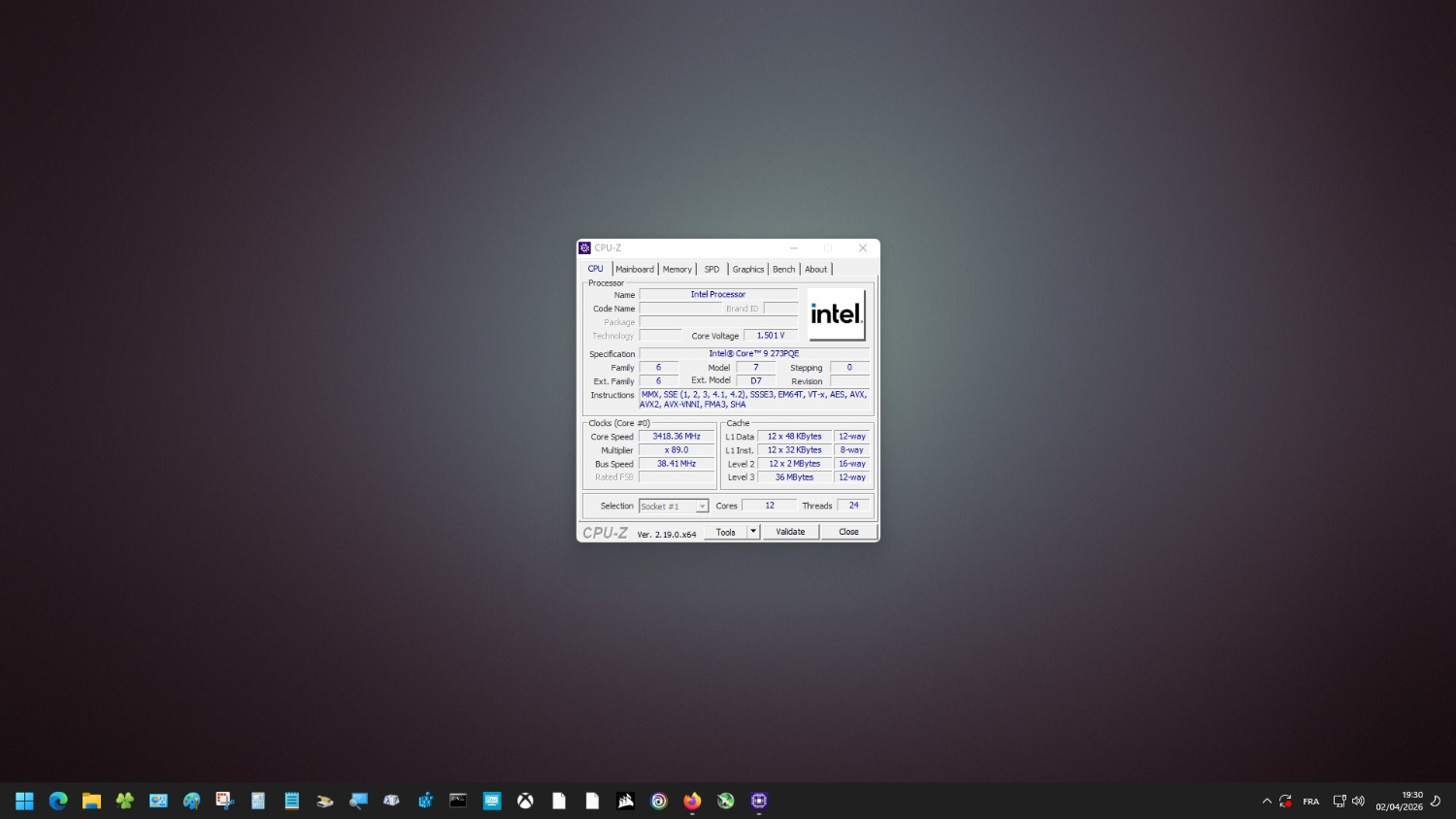

Breaking Boundaries: Edge CPU Meets Consumer Hardware
In an exciting turn for tech enthusiasts, the Intel Core 9 273PQE 'Bartlett Lake' CPU—originally engineered for specialized edge and embedded systems—has made an unexpected debut on a mainstream Z790 consumer motherboard. Thanks to the ingenuity of a dedicated hardware modder, this unique chip has successfully booted into Windows on a platform it was never intended for, opening up fascinating discussions about CPU compatibility and hardware hacking.
What Is the Intel Core 9 273PQE?
This processor, known internally as 'Bartlett Lake,' is designed to serve edge computing scenarios, industrial automation, and embedded applications. Unlike mainstream desktop CPUs, it features only Performance-cores (P-cores), omitting the Efficiency-cores (E-cores) found in most of Intel’s recent desktop offerings. This architecture is tailored for consistent, high-reliability workloads rather than the dynamic demands of consumer desktops.
Why Is Booting On a Z790 Motherboard Significant?
The Z790 motherboard is a staple in the consumer PC market, known for supporting Intel’s 12th and 13th generation Core processors. These boards are optimized for chips designed for desktops, not for specialized CPUs like the 273PQE. Successfully running this edge-focused processor on a Z790 board hints at a deeper level of interoperability than Intel officially supports, and demonstrates the potential for hardware experimentation and learning.
How Did the Modder Achieve This?
Though the technical details are sparse, getting a non-consumer CPU to boot on a consumer platform is no small feat. The process likely involved custom BIOS modifications, intricate microcode updates, and a thorough understanding of motherboard firmware. Achieving compatibility required bypassing or reconfiguring checks that typically prevent unsupported processors from initializing, showcasing advanced skills in both hardware and software.
What This Means for Tech Learners
This accomplishment goes beyond mere curiosity—it’s a masterclass in system architecture, firmware engineering, and problem-solving. For learners, it highlights the importance of understanding how CPUs interface with motherboards, how firmware governs compatibility, and the value of hands-on experimentation. Such projects encourage curiosity-driven learning, and provide a real-world context for often abstract computer engineering concepts.
How to Start Learning Hardware Modding
- Study CPU and Motherboard Basics: Begin by understanding how processors and motherboards communicate. Explore socket types, chipsets, and firmware roles.
- Experiment Safely: Use older or inexpensive hardware for your early experiments. Flashing custom BIOS or altering microcode can brick your board if not done carefully.
- Engage with the Community: Join forums and subreddits focused on hardware modding—collaborating with others is invaluable for troubleshooting and learning best practices.
- Learn Firmware Tools: Get familiar with BIOS modding utilities, hex editors, and microcode patching tools. Many open-source resources are available to help you get started.
Broader Implications for the Tech Industry
This event underscores the increasing overlap between specialized and consumer hardware. As modders push the boundaries, manufacturers may take note and consider broader support or more modular designs in the future. For tech learners, this is a reminder that the lines between "supported" and "unsupported" are sometimes more flexible than they appear.
3 Practical Takeaways
- Curiosity pays off: Pushing the limits of hardware compatibility can reveal new possibilities and deepen your technical skills.
- Firmware knowledge is powerful: Learning how BIOS and microcode work is essential for advanced hardware experiments and troubleshooting.
- Responsible modding matters: Always document your process and understand the risks—community-driven innovation depends on safe, repeatable methods.
Want to read more?
This is a summary of the article. You can read the full story on the original publisher's website.
Read Full Article